


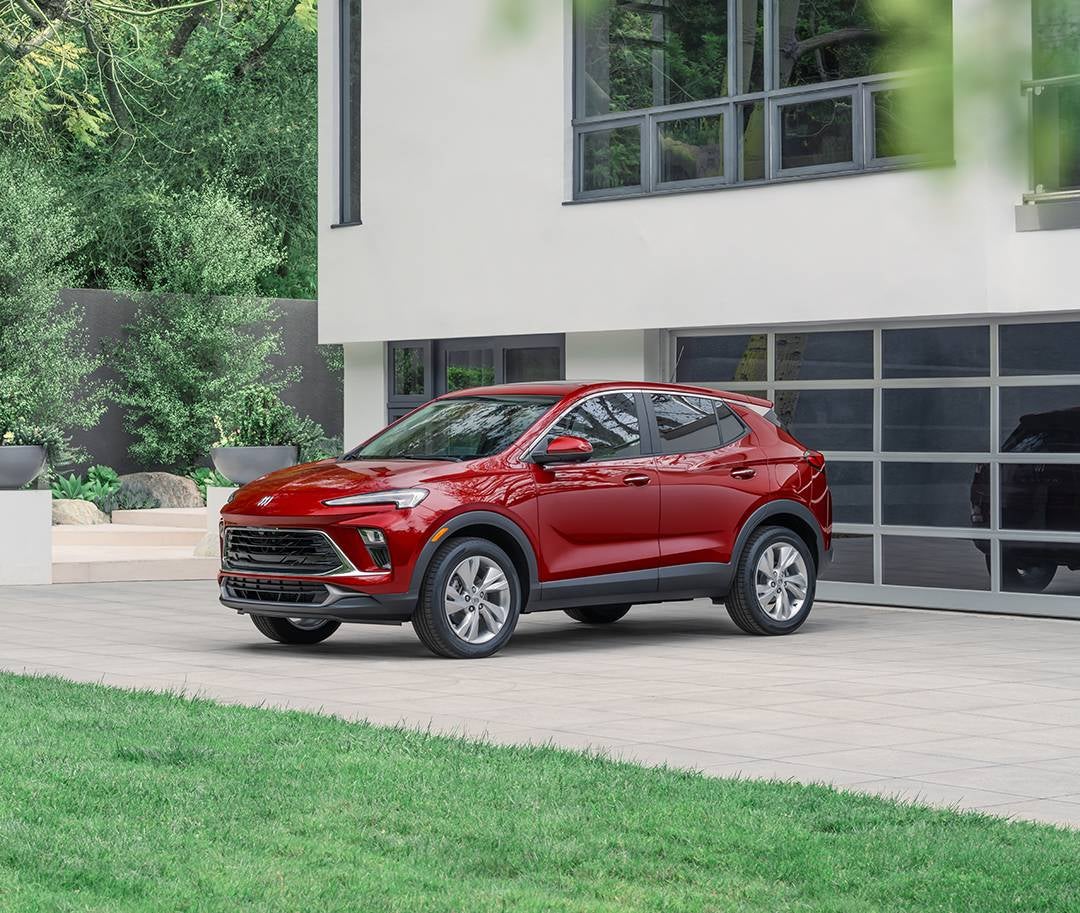
Imagine stepping out of your home on a chilly morning or after a long day of errands, only to find your Buick already warmed up and ready to go. With the 2025 Buick models like the Encore GX, Envista, Envision, and Enclave, remote start technology makes that possible with just a tap of a button. Whether you're using your key fob or the myBuick app, this convenient feature ensures your vehicle is always prepared for you, no matter the weather or time of day.
In this guide, we’ll walk you through the simple steps of remotely starting your Buick, so you can enjoy maximum comfort and convenience. From key fob operation to using the myBuick app, we’ve got you covered. If you need further assistance or want to explore the latest Buick models, feel free to visit us or contact Eagle Buick GMC in Crystal River. We’re here to help you make the most of your driving experience!
Getting Started with Remote Start Technology for Your 2025 Buick
Remote start is a convenient feature that allows you to start your Buick from a distance. Whether you're in the cold, heat, or just want your car ready to go, remote start technology is a game changer. For the 2025 Buick models like the Encore GX, you can easily use the key fob or myBuick mobile app to start your car remotely.
To get started, you’ll need to make sure your Buick has the remote start feature. Some vehicles may require additional settings or subscriptions to enable this function. Once set up, you can enjoy the following benefits:
- Comfort: Precondition your vehicle for the right temperature.
- Convenience: Start your car from the comfort of your home or office.
- Safety: Remote start allows you to warm up or cool down your car without stepping outside.
With both the key fob and myBuick app, starting your vehicle remotely is simple and efficient. Let’s dive into how each method works.
Using Your Buick Key Fob to Start Your Vehicle Remotely
The Buick key fob is one of the easiest ways to remotely start your vehicle. If your vehicle, like the Envista, is equipped with remote start, here’s how to use it:
- Ensure Your Buick is Locked: Before using the remote start feature, make sure all doors are locked. This ensures the car is secure while starting.
- Locate the Remote Start Button: On your key fob, you’ll find a button with a circular arrow or similar symbol. This is the remote start button.
- Press and Hold the Button: Press and hold the remote start button for about 3-5 seconds. You should see the vehicle’s lights flash or hear a sound to confirm that the engine has started.
- Enjoy Your Buick: Once the vehicle starts, you can enter it once you’re ready. If the engine doesn’t start, double-check the door locks and the key fob battery.
Remember, the remote start system in vehicles like the Envista has a time limit. The engine will automatically turn off after a few minutes if you don't enter the car.
How to Use the myBuick Mobile App for Remote Start
Using the myBuick mobile app for remote start is just as simple and convenient as using the key fob. Here’s how to get your 2025 Buick started from your phone:
- Download the myBuick App: If you haven’t already, download the app on your phone. It’s available for both iOS and Android devices.
- Log In: Open the app and log into your account. If you don’t have one yet, you can create it easily.
- Connect Your Vehicle: Add your Buick to the app by following the on-screen prompts. You may need your vehicle’s VIN.
- Find the Remote Start Feature: Once connected, navigate to the “My Vehicle” tab. Here, you’ll find the remote start button.
- Press and Hold the Button: Tap and hold the remote start button until the "Keep Holding" message disappears. Your Buick will start remotely.
- Confirm the Start: Your Buick’s headlights will flash to confirm that the remote start command was successful.
If you need to cancel the remote start command, just press and hold the button again in the app.
Important Considerations for Using Remote Start in Your Buick
While remote start is a helpful feature, there are a few important things to keep in mind when using it in your 2025 Buick:
- Remote Start Duration: The engine will run for a set amount of time, typically between 10-15 minutes, before automatically turning off if you don’t enter the vehicle.
- Safety Features: Some models may require the vehicle to be in “Park” or the doors to be locked before remote start will work. Always check your owner’s manual to confirm.
- Key Fob Battery: A low battery in your key fob can prevent the remote start from functioning. Make sure your key fob battery is in good condition.
- Local Regulations: Be aware of any local laws regarding remote starting your vehicle, especially if you're in areas with strict idling laws.
- Service Plan: The ability to use remote start may depend on your vehicle’s service plan. Make sure your Buick is eligible for this feature.
What to Do if Remote Start Doesn’t Work
If your remote start isn’t working, don’t worry! Here are a few steps you can take to troubleshoot and get it working again:
- Check Your Settings: Make sure your vehicle is locked and in “Park” before attempting remote start. The vehicle needs to be secure to allow the feature to activate.
- Test the Key Fob: Ensure the key fob battery isn’t low. A weak battery can affect the remote start function. Try using the key fob for other functions, like unlocking the doors, to confirm it has enough power.
- Verify App Connection: If you’re using the myBuick app, ensure it's properly connected to your vehicle. Double-check your app settings, check for updates, or re-sync the app if necessary. Sometimes, the app can lose connection, causing the remote start feature to malfunction.
- Check for Interference: Remote start might not work if you're too far away or there’s interference from surrounding objects (e.g., buildings or large structures). Make sure you’re within the appropriate range for the remote start to work.
- Consult Your Owner’s Manual: If the problem persists, refer to your Buick’s owner manual for further instructions. Your vehicle’s manual should have detailed troubleshooting steps.
- Visit Eagle Buick GMC for Assistance: If none of these steps resolve the issue, we’re here to help. Visit Eagle Buick GMC or contact us for additional support. Our team can assist with remote start troubleshooting and make sure everything is working properly.
We want you to enjoy your Buick's features to the fullest. Don't hesitate to reach out if you need help!
Enhancing Your Driving Experience with Remote Start
Remote start technology adds a layer of convenience and comfort to your driving experience. Whether it’s a cold winter morning or a hot summer day, you can use this feature to ensure your Buick is ready when you are. Imagine getting into a car that’s already at the perfect temperature. With the remote ignition feature, this can be your reality every day.
For models like the Buick Envista, remote start allows you to start your vehicle from a distance. Not only does this make your car more comfortable, but it also adds a level of convenience to your routine. You don’t need to wait inside the car for it to warm up or cool down. Simply press the button, and your vehicle will be ready to go.
This feature is ideal for those who want to enhance their daily drive with ease. The simple act of starting your car remotely can help you:
- Precondition Your Car: Adjust the temperature before you get in.
- Save Time: Start the vehicle and have it ready when you’re ready.
- Stay Comfortable: Ensure your car is never too hot or cold.
The remote start feature is one of the easiest ways to improve the driving experience. It’s a small touch that makes a big difference.
Maximizing the Benefits of Your Buick’s Remote Start Feature
To get the most out of your Buick’s remote start feature, it’s essential to know how to use it effectively. The key fob start feature is one of the easiest ways to start your car from a distance. But understanding how to make the most of it can truly enhance your experience.
Here’s how to maximize the benefits of your remote start:
- Ensure Vehicle Safety: Always lock your Buick before starting it remotely. This prevents unauthorized access while the car is running.
- Time the Start: Use the feature right before you’re ready to leave, so the temperature is just right when you get in.
- Maximize Comfort: Let the remote start run for a few minutes to warm up or cool down your car.
- Monitor Battery and Fuel Levels: Keep an eye on these before using remote start to avoid any unexpected issues.
- Take Advantage of Remote Start Scheduling: Some vehicles allow you to set a schedule for remote start. This is a great way to ensure your car is ready at specific times.
By following these simple steps, you can get the most out of your Buick’s remote start feature. It will not only make your driving experience more comfortable, but it will also save you time and effort each day.
Frequently Asked Questions About Buick Remote Start Features
If you're wondering about Buick's remote start feature and how it applies to the 2025 models, you're in the right place. Below are answers to some common questions that will help you understand whether your Buick vehicle is equipped with this convenient technology and how to use it effectively.
Does the 2025 Buick Envista come with remote start?
Yes, the 2025 Buick Envista does come with remote start as a standard or available feature depending on the trim level.
Does the 2025 Buick Encore GX come with remote start?
Yes, the 2025 Buick Encore GX comes with remote start as part of the available package options.
Does the 2025 Buick Envision come with remote start?
Yes, the 2025 Buick Envision is equipped with remote start, offering an easy way to start your vehicle remotely.
Does the 2025 Buick Enclave come with remote start?
Yes, the 2025 Buick Enclave comes with remote start, making it easy to prepare your vehicle before you get in.
Which 2025 Buick models support remote start via the key fob?
The 2025 Buick models that support remote start via the key fob include the Buick Envista, Encore GX, Envision, and Enclave.
What steps do I need to follow to activate remote ignition on a Buick?
To activate remote start on a Buick:
- Press the lock button on your key fob.
- Within three seconds, press and hold the remote start button (usually marked with a circular arrow) for a few seconds until the vehicle starts.
Is there a certain range limitation for remote starting my Buick from a distance?
Yes, most Buick vehicles have a remote start range of up to 200-300 feet, depending on the vehicle and any obstructions like buildings.
If you need further clarification or assistance, feel free to reach out to your local Buick dealer to ensure you're using remote start to its fullest potential.
Explore More About Your Buick’s Features and Performance
If you’re ready to experience the convenience of remote start on your Buick, we encourage you to visit Eagle Buick GMC. Our dealership serves the communities of Ozello, Lecanto, Crystal River, and Homosassa. We offer a wide selection of 2025 Buick models, including the Encore GX, Envista, Envision, and Enclave, all equipped with advanced features like remote start to enhance your driving experience.
While you’re here, explore more of our helpful content. If you’ve ever wondered about the difference between brake pads and brake calipers, or what those engine terms like V6 and V8 really mean, check out our detailed articles. Also, learn how to identify and fix issues with rattling noises in your vehicle. Dive into these topics for a better understanding of your Buick’s performance and care. If you have any questions, don’t hesitate to contact us—we’re here to help!
Get Directions to Eagle Buick GMC
Disclaimer: All information is provided for general informational and entertainment purposes only. While we strive for accuracy, we cannot guarantee that all content is complete, current, or error-free. Any reliance you place on such information is strictly at your own risk. This article may include opinions and is not endorsed by, or officially affiliated with, any vehicle manufacturer or brand. Always consult official sources – such as the vehicle’s owner’s manual, authorized dealerships, or certified professionals – for the most up-to-date and personalized information.